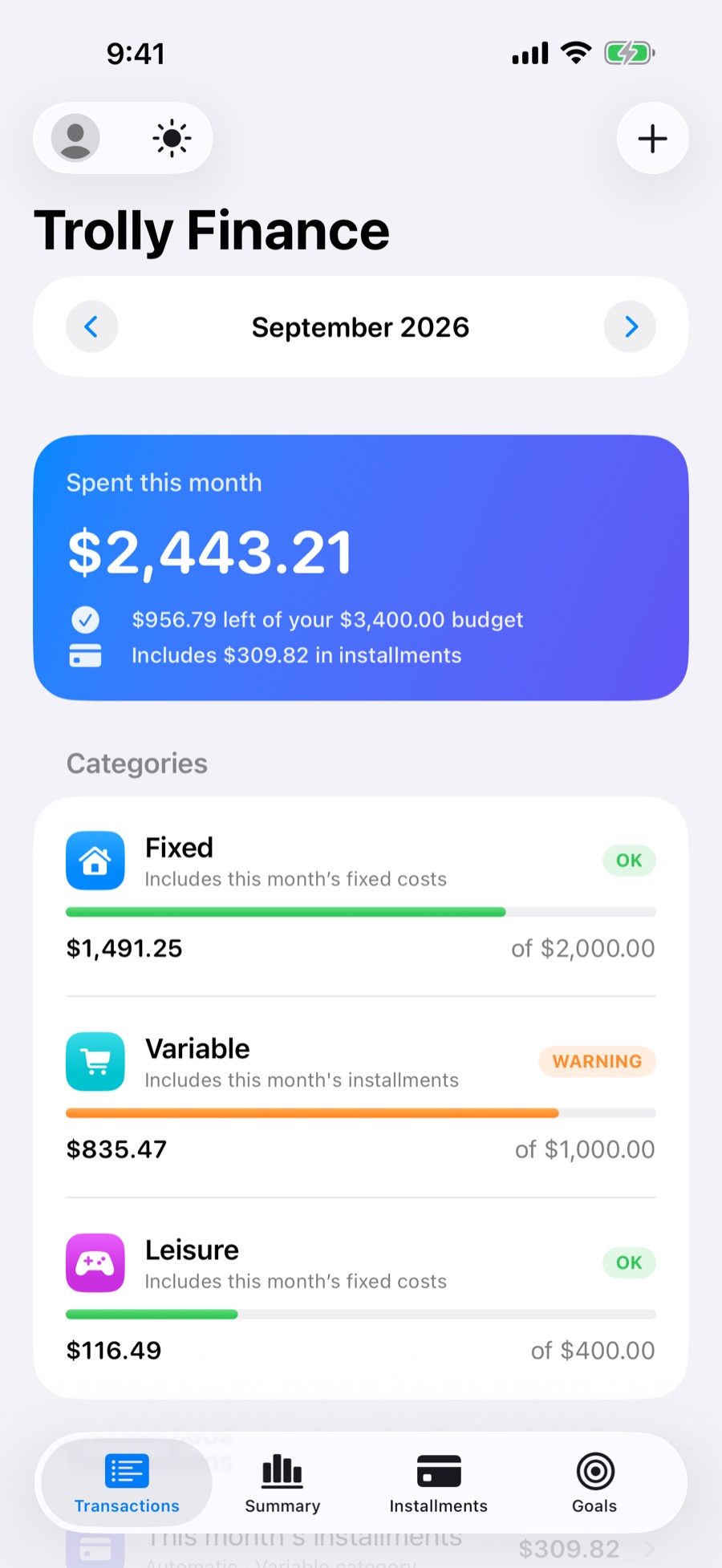
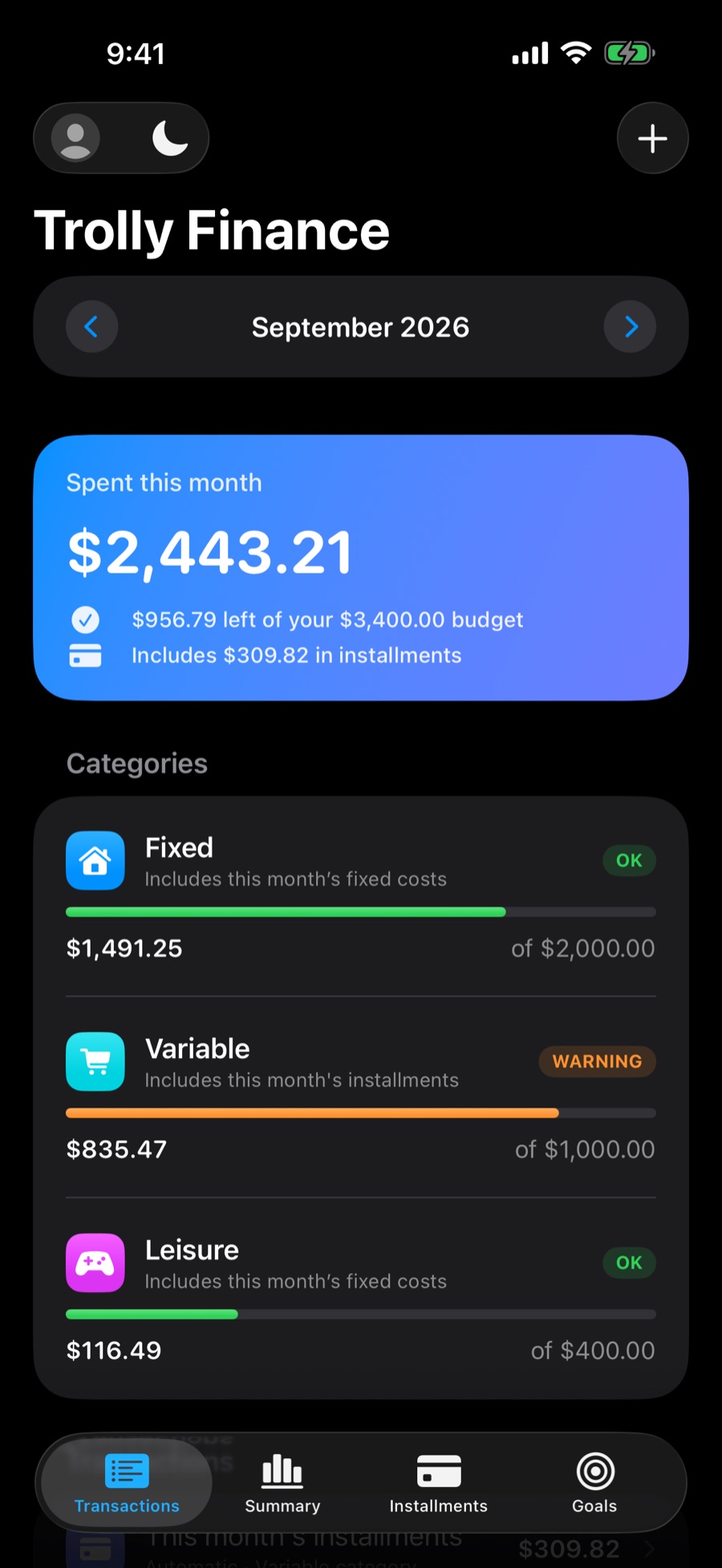
FixedOK
$1,491.25of $2,000.00
Within the limit. Keep going.
Expenses, fixed costs, installments and goals in an app made for iPhone. No account, no ads, and no one looking over your shoulder.
Free · For iPhone with iOS 17 or later
Category limits
Set how much you want to spend on Fixed, Variable and Leisure. With every transaction Trolly redoes the month's math and changes the category's color as spending gets close to the limit.
Within the limit. Keep going.
Over 80% of the limit. Time to slow down.
Over the limit. Next month starts fresh.
Green up to 80% of the limit, orange above that, red past 100%. Fixed costs and installments are counted automatically.
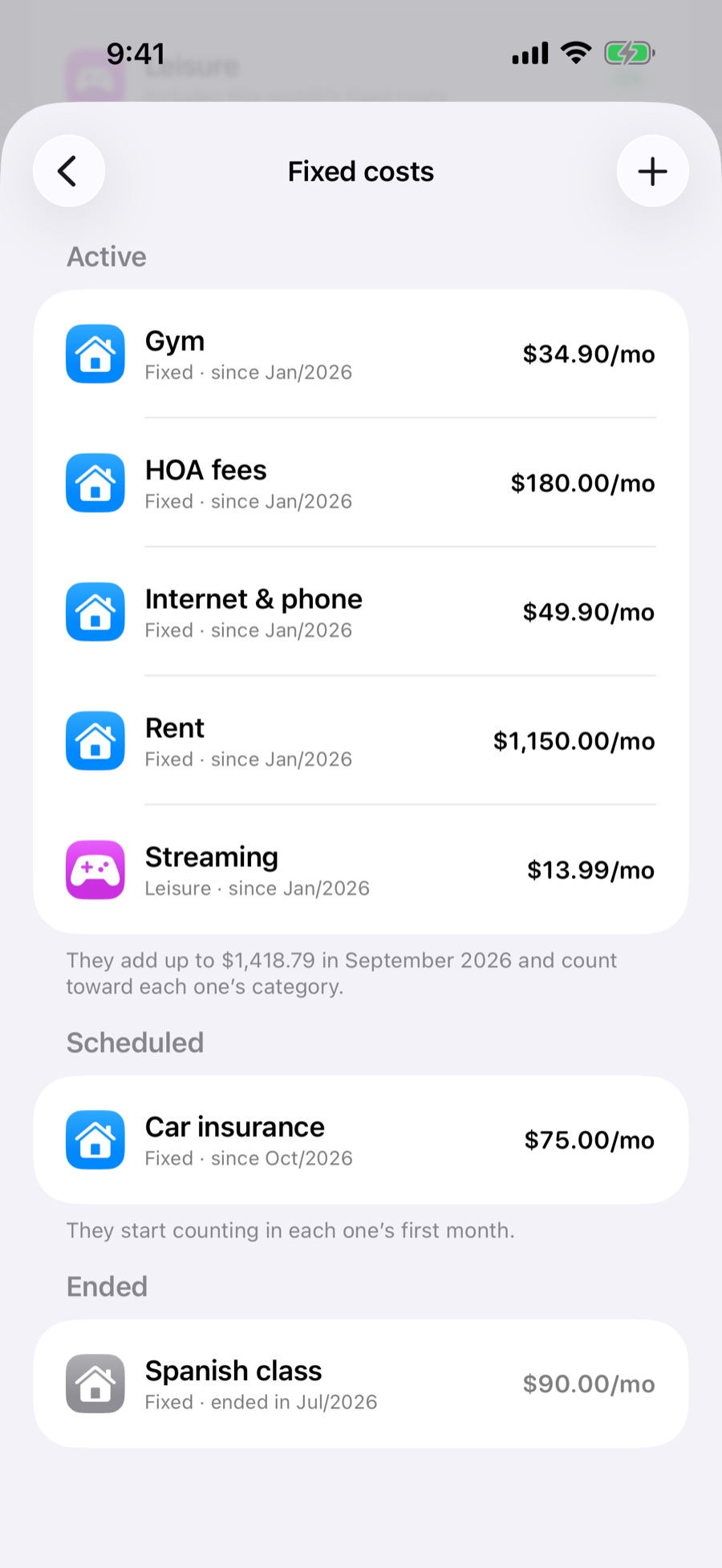
NewFixed costs
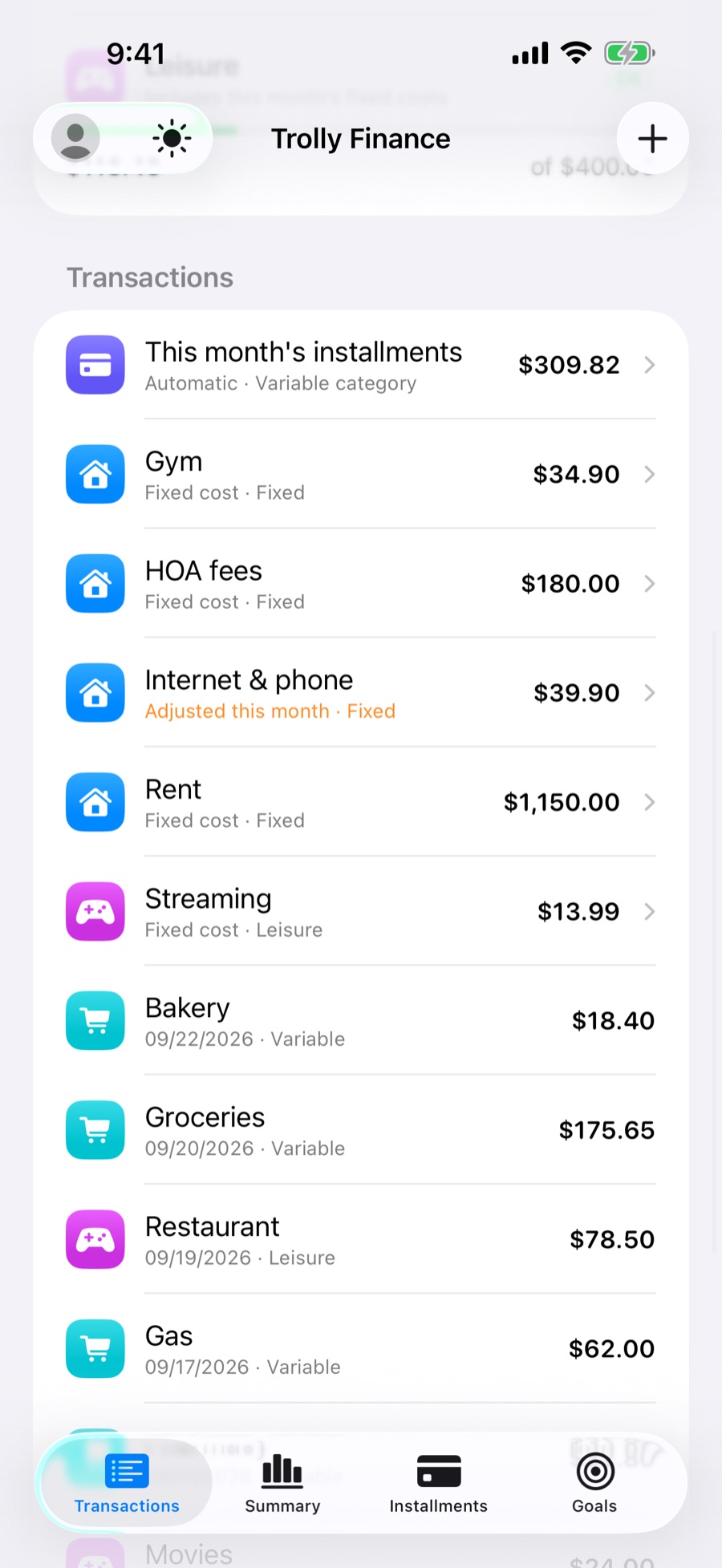
Rent, internet, gym, streaming: whatever repeats is added to every month's budget on its own, in the right category. No more entering the same bill month after month.
Bill came in different? Change one month's amount, or skip the month, without touching the default.
Cancelled the gym? End the fixed cost and previous months stay in your history.
Insurance that starts in October shows up in the right month, not before, not after.
Installments
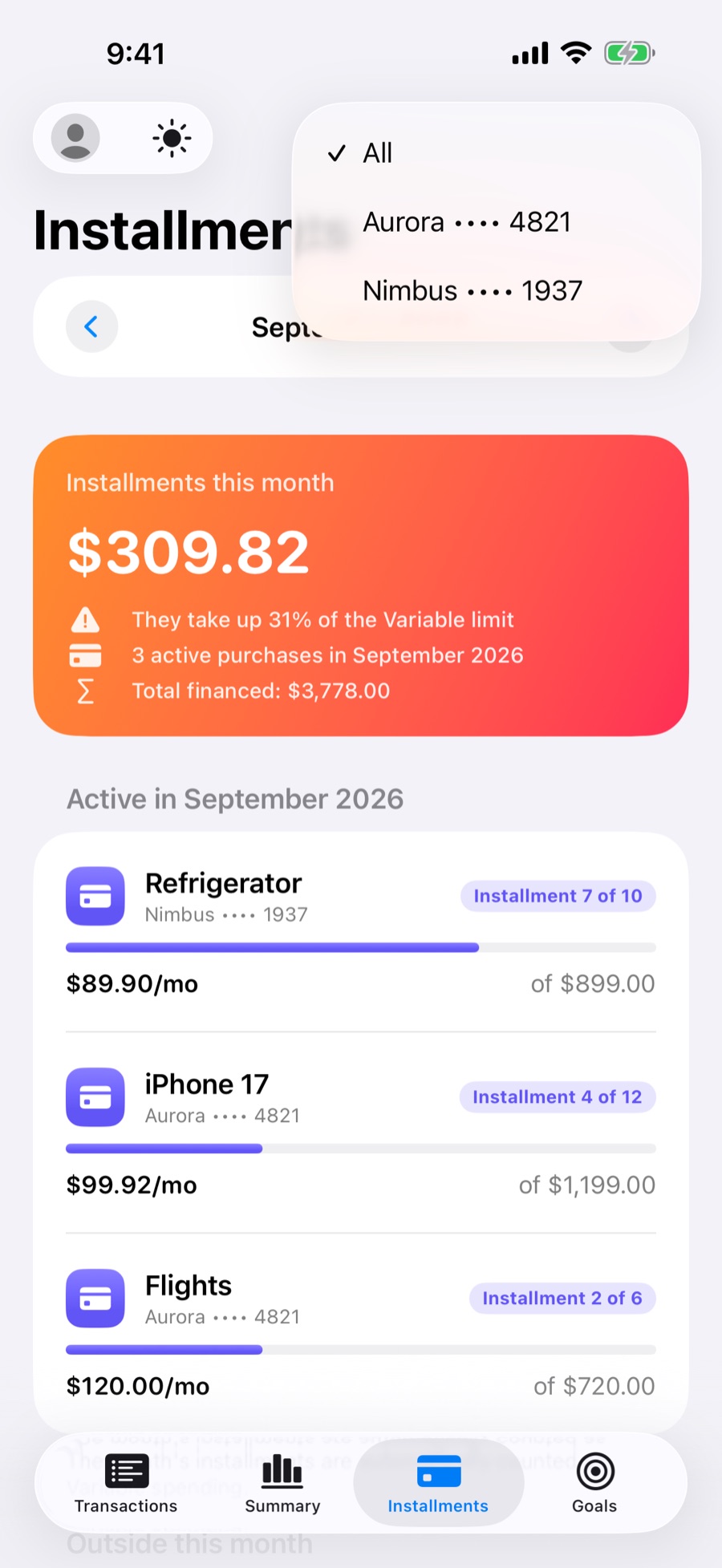
Add the purchase with the number of installments. Each installment lands in the right month on its own and counts toward the Variable limit.
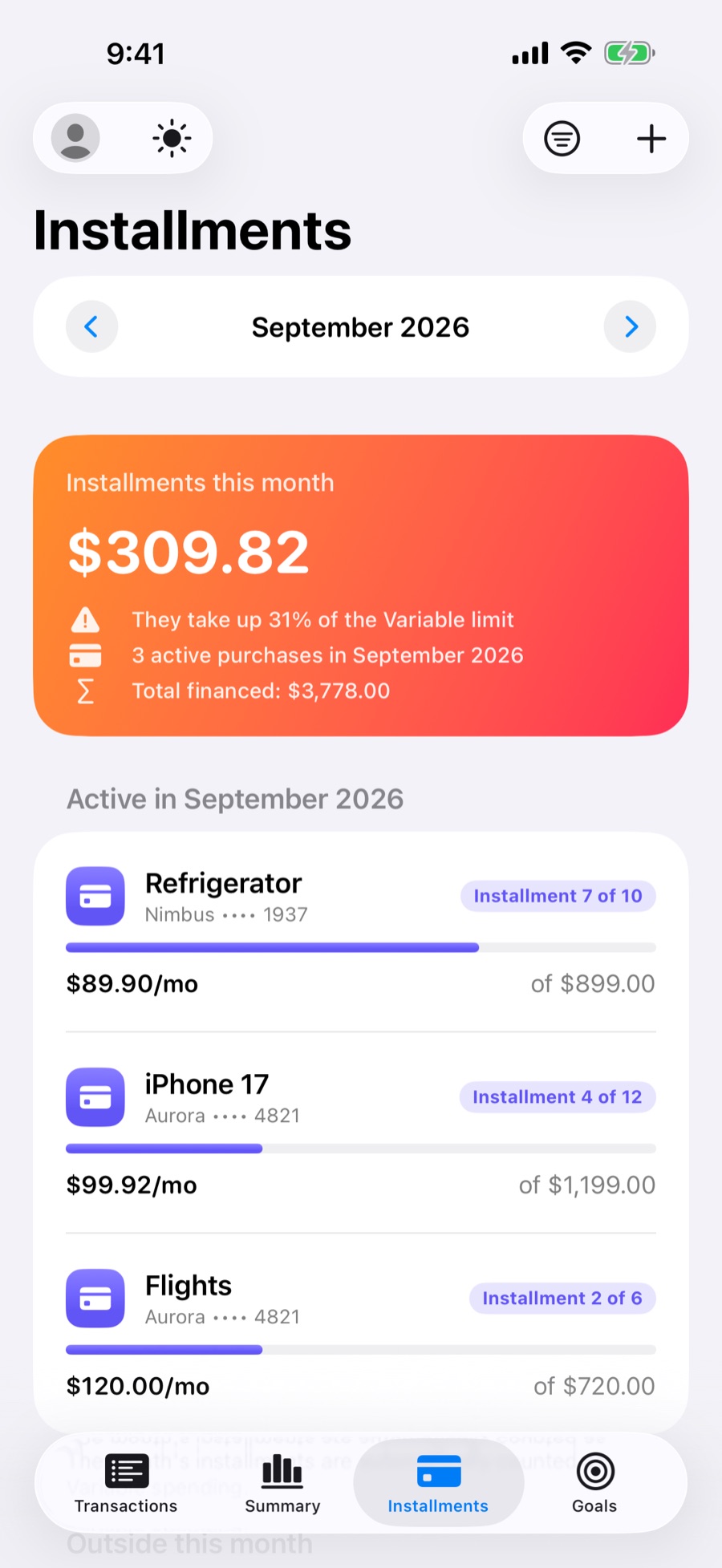
Each purchase shows which installment it's on, the monthly amount and the total.
See how much each card weighs on the month. New in version 1.3.1.
What installments add up to this month, and how much of the Variable limit they take.
Summary and Insights
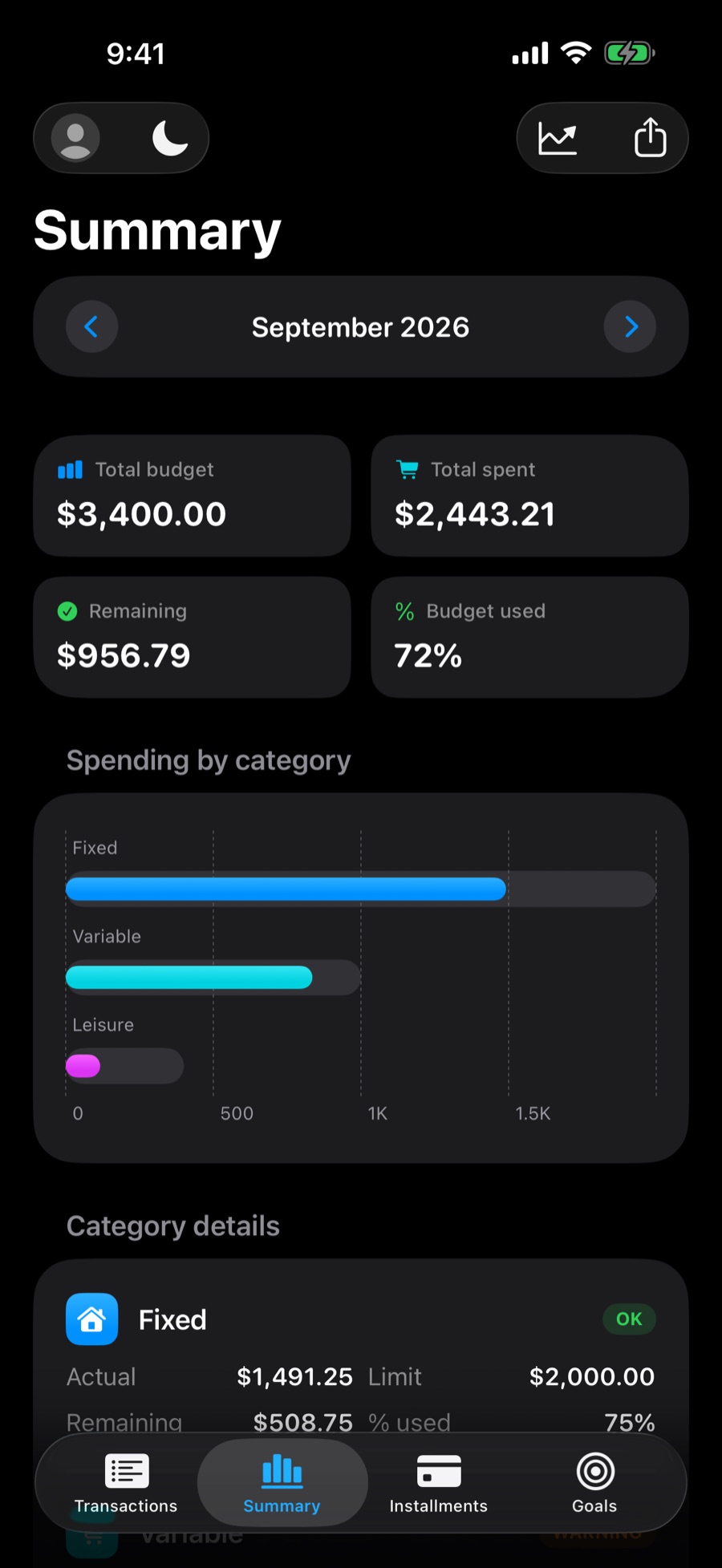
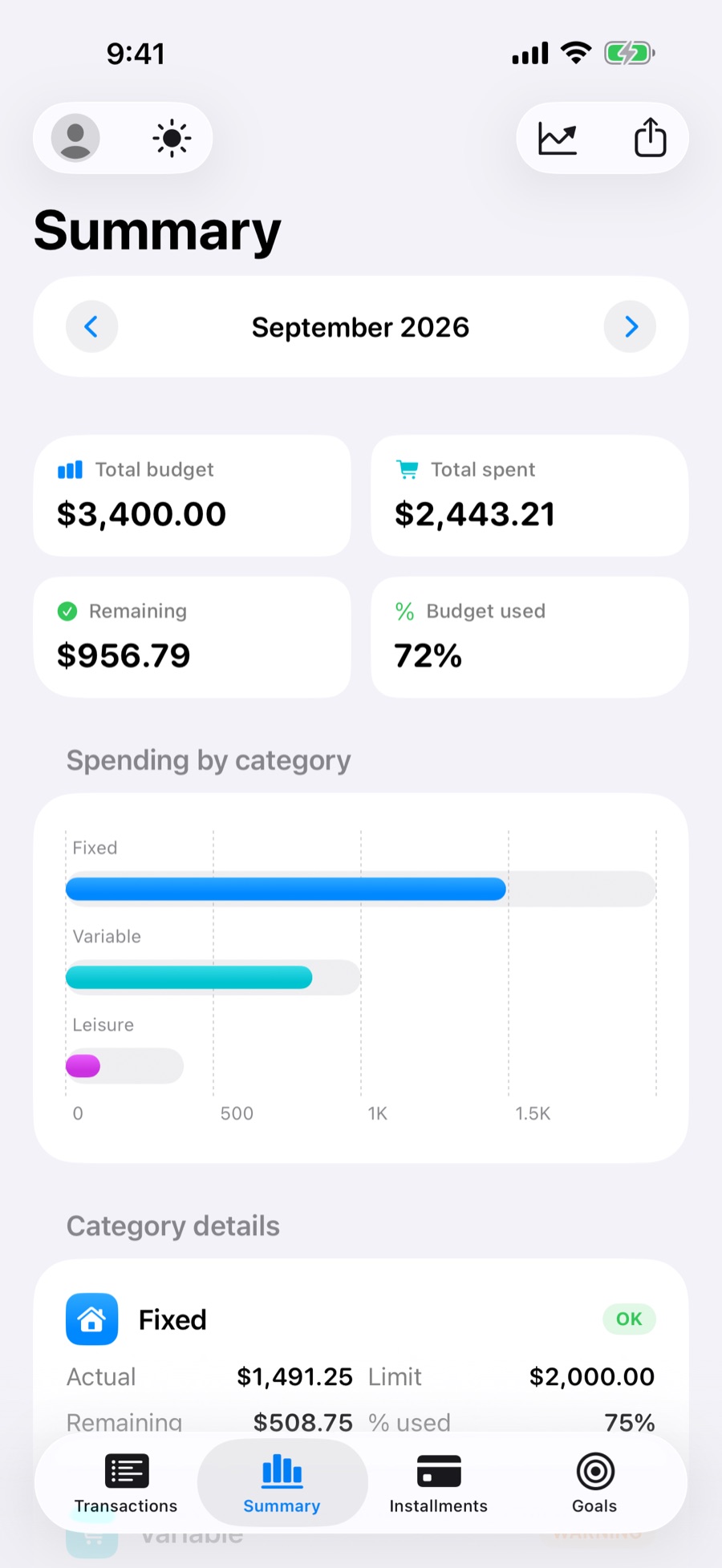
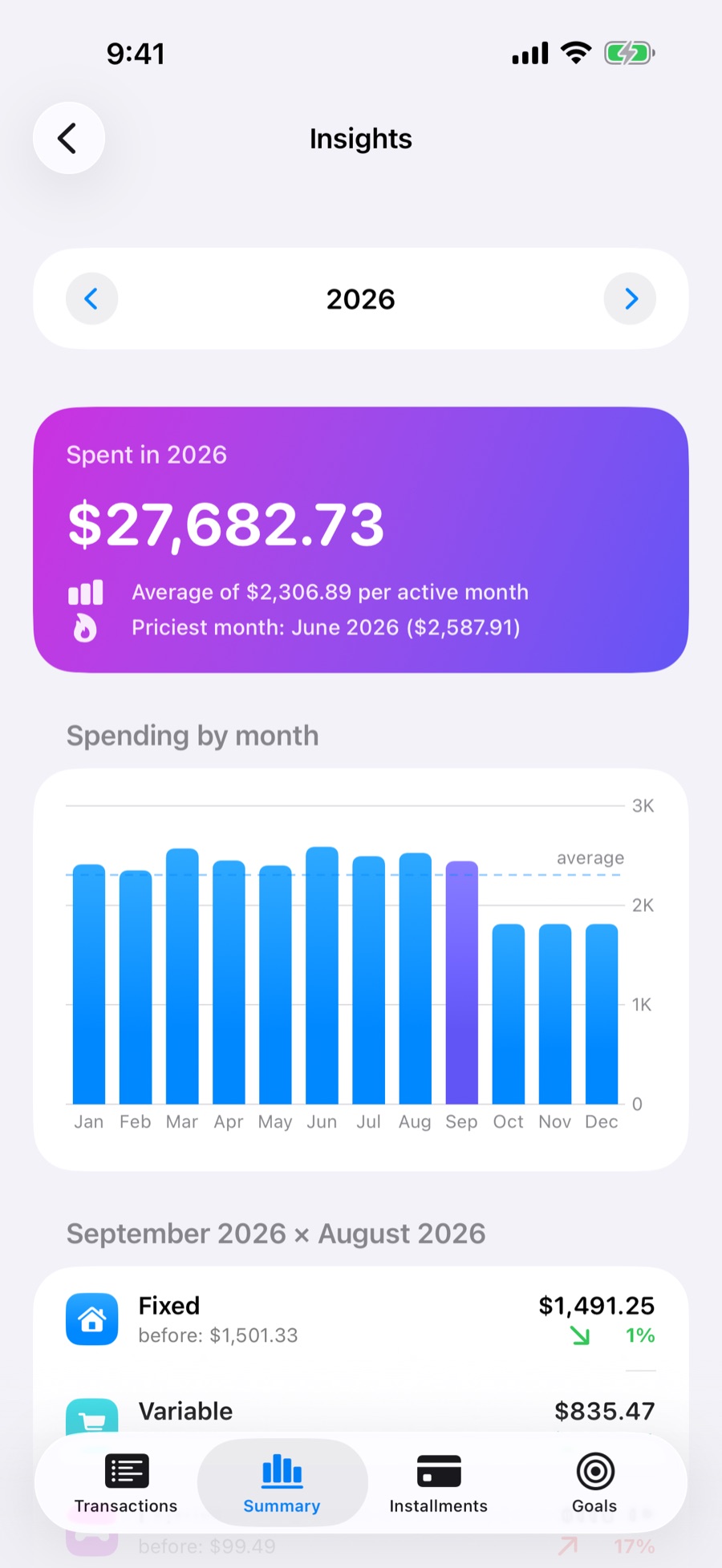
Summary shows budget, spending, what's left and a chart by category. With Trolly Pro, Insights bring the 12 months together: average, most expensive month and a comparison with the month before.
Goals
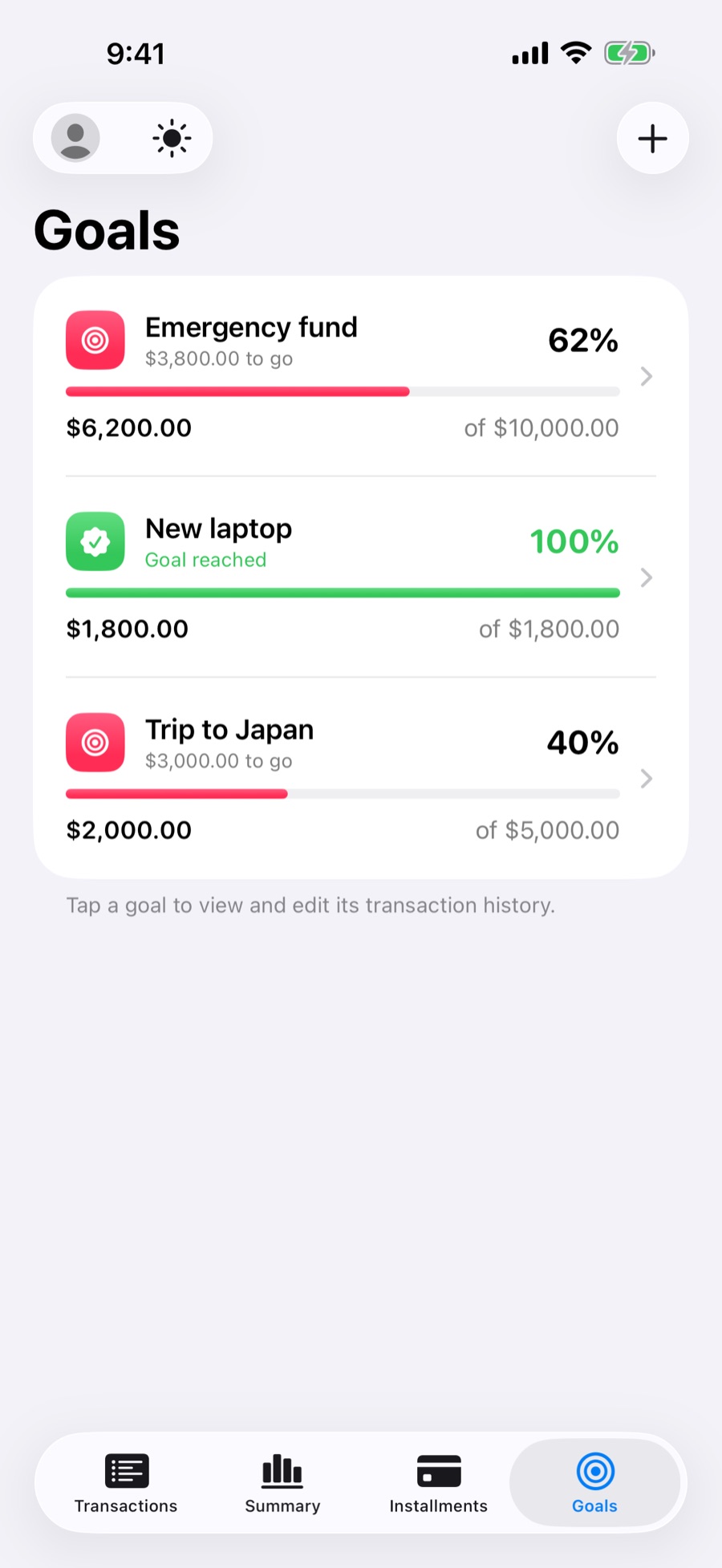
Set a target and record each deposit or withdrawal. The bar fills up, Trolly shows how much is left and lets you know when you get there.
Every deposit and withdrawal is recorded. Made a mistake? Just edit it.
Percentage and remaining amount for every goal.
A picture of where you're headed reminds you why you're saving.
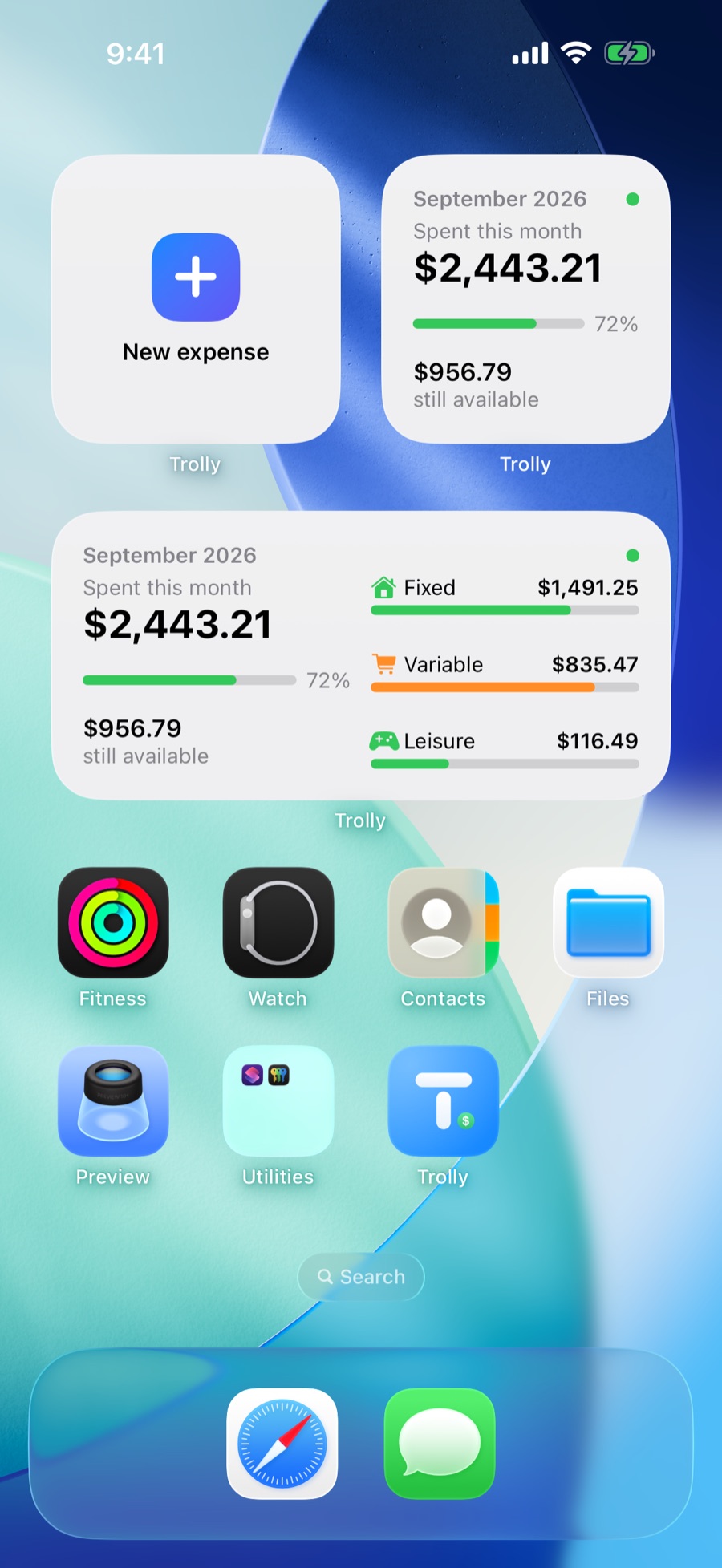
Widgets
How much went out, how much is left and how each category is doing, without opening the app.
Languages and currencies
Six languages and twelve currencies, chosen separately. The app can be in Spanish and show dollars, whichever way you prefer.
Switching currency doesn't convert amounts: it only changes how they're displayed.
And more
New iPhone? Your data comes along through your own iCloud account. Never through a server of ours, because there isn't one.
A category near its limit, next month's installments, a forgotten goal. All generated on your iPhone.
Follows your iPhone, or stays the way you choose.
No one opens your finances without you.
CSV or OFX from your bank, read right on your iPhone, with review and duplicate detection.
Take your numbers to a spreadsheet, or to your accountant.
Pick how Trolly looks on your Home Screen.
On the subway, on a plane, on the road. Everything opens instantly.
Trolly Pro
The free version covers day-to-day life. Pro removes the limits and shows you the whole year.
Cancelled? Everything you created stays yours. Only the free plan's limits come back.
Optional subscription, managed by Apple. The free plan stays free.
Prices in your currency, on the App Store.
Privacy
Trolly has no server, asks for no sign-up and doesn't know who you are.
As shown on Trolly's App Store page
Questions
No. Trolly has no login: download it, open it and start using it. No personal data is requested, not even an email address.
Yes. Everything is saved on your iPhone and works offline. With iCloud turned on, syncing happens automatically whenever you're connected.
Only to your iCloud, if it's turned on for your device, in your Apple Account's private database, which not even Trolly can access. To keep everything on your iPhone only, turn off iCloud for Trolly in Settings › your name › iCloud.
Trolly is free for everyday use. The optional Pro comes as a monthly or yearly subscription, or as a one-time lifetime purchase. The App Store shows the price in your currency.
You keep everything you created: goals, installments and transactions stay put. Only the free plan's limits for creating new items come back.
With Pro, export your statement as CSV or OFX from your bank's app and open it in Trolly under Profile › Import statement. The file is read right on your iPhone, with a review step before importing and duplicate detection.
Not for now. Trolly is made for iPhone with iOS 17 or later.

Download it for free and add your first expense in seconds.